
Start with a better scan.
Import one photo or use the camera. Check early quality hints, align the outer edges, and add an optional back. Save your card or pause with a protected local draft.
Scan and straighten your cards. Measure centering, inspect corners and edges, and keep your collection organized—right on your iPhone.
Every tool. 100% free. Always. No paywalls or subscriptions. Ads keep CardGrader free. Remove ads forever for a small, optional one-time fee.
iPhone · iOS 18 or later · Preparing for App Store release
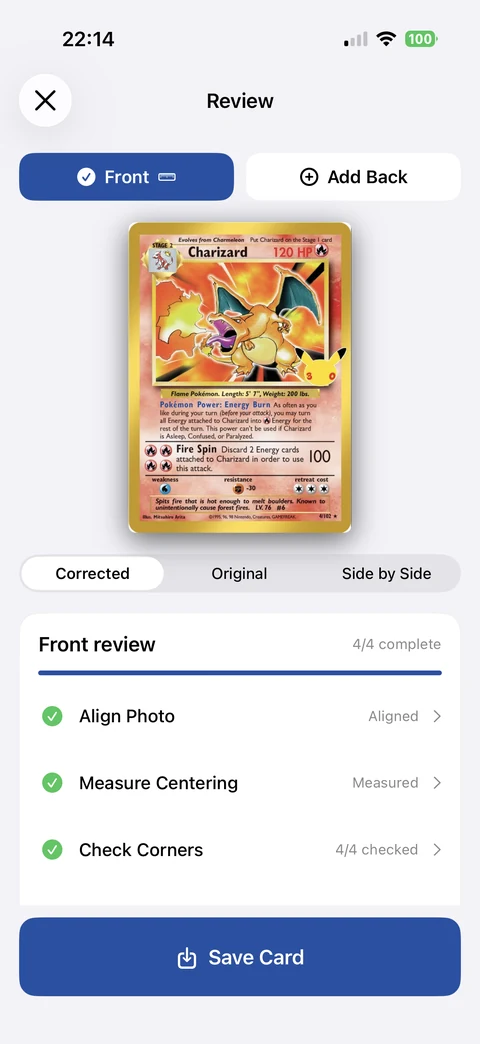
Tools that help you look carefully, with control over every measurement.
Import one photo or use the camera. Check early quality hints, align the outer edges, and add an optional back. Save your card or pause with a protected local draft.
Follow a per-side review checklist. Refine printed-border guides for centering, check all four corners and edges, and record wear. Save anytime and return to unfinished assessments.
Keep front/back images, measurements and notes together. Add folders, tags, favorites, set, year and collector numbers. Search, sort and filter your collection; catalog matching is optional.
Real iPhone app screens, from alignment to your saved collection. Follow the Charizard and Lugia examples below; open any screenshot for a larger view.
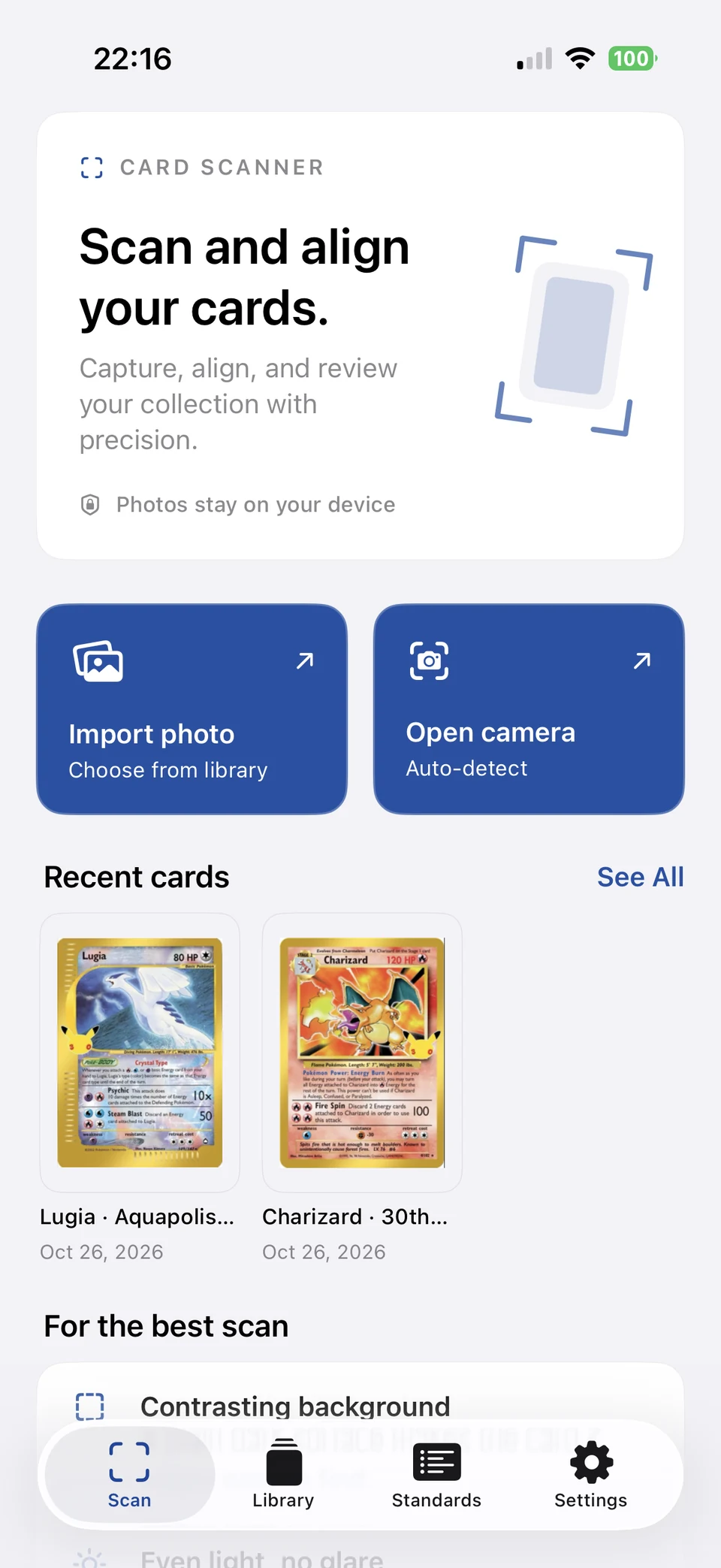
Import a photo or open the camera, then review the physical card outline before aligning the image. Recent cards keep your latest work close at hand.
Actual app capture · owner-photographed cards
Read the guide →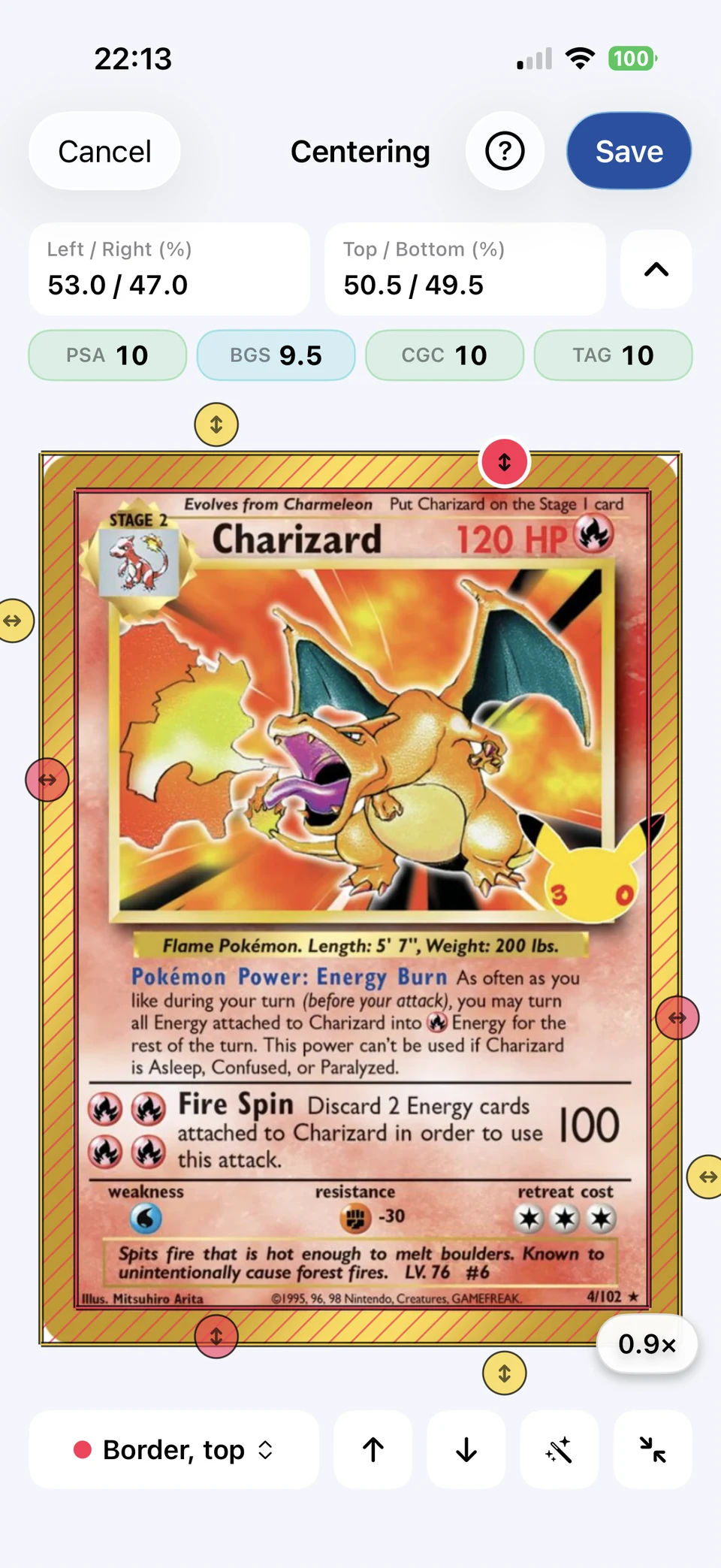
This Charizard capture reads 53.0/47.0 left/right and 50.5/49.5 top/bottom. Refine the guides yourself; these example readings are unofficial and do not certify a grade.
Actual app capture · owner-photographed cards
Read the guide →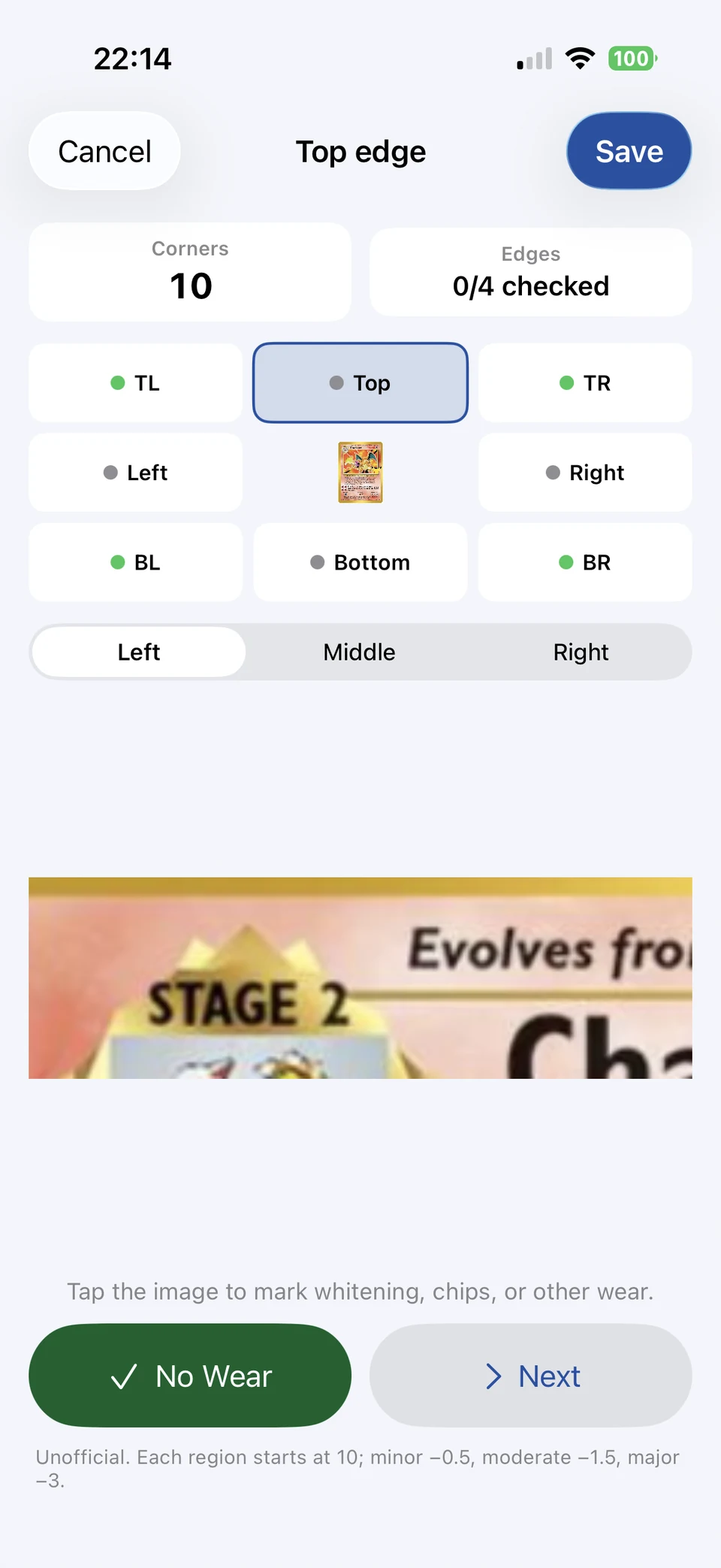
Choose a corner or edge and examine the enlarged view. Mark visible wear or record No Wear, then continue through the remaining regions. This capture shows the top edge with 0/4 edges checked.
Actual app capture · owner-photographed cards
Read the guide →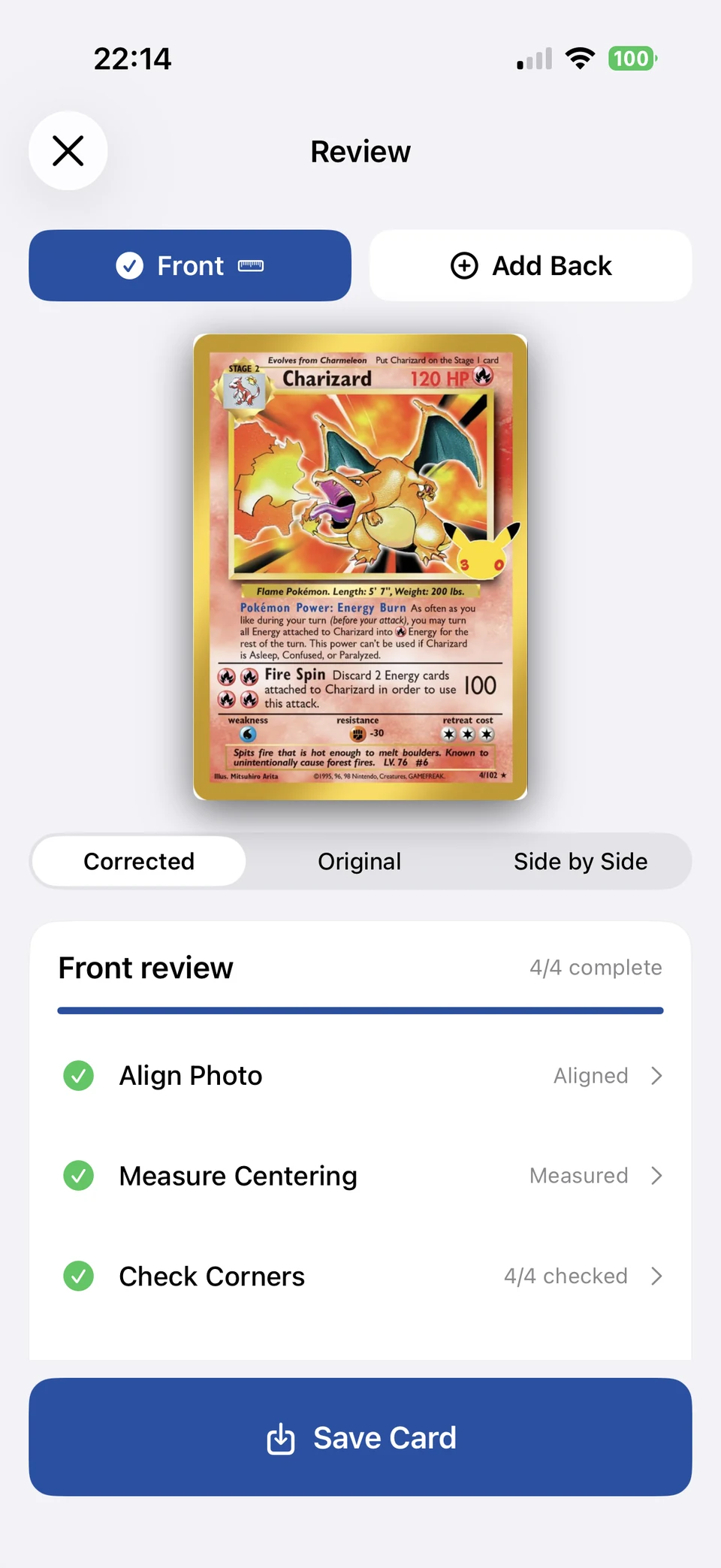
Compare the corrected image with the original, add an optional back, and work through the review checklist. Save the card with its images and confirmed assessments.
Actual app capture · owner-photographed cards
Read the workflow →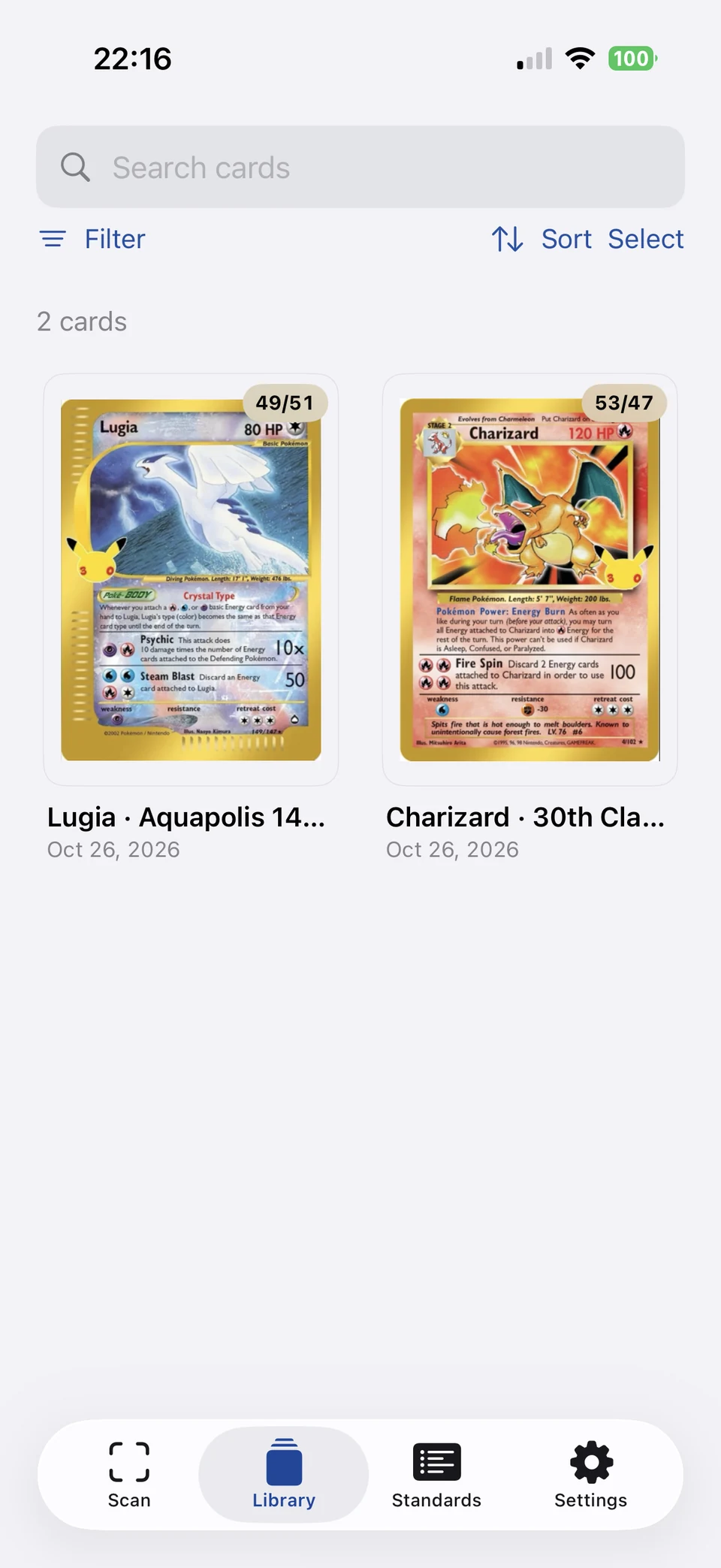
Keep card images and measurements together in your local library. Search your cards, change sorting, or use Select for collection actions.
Actual app capture · owner-photographed cards
Read the guide →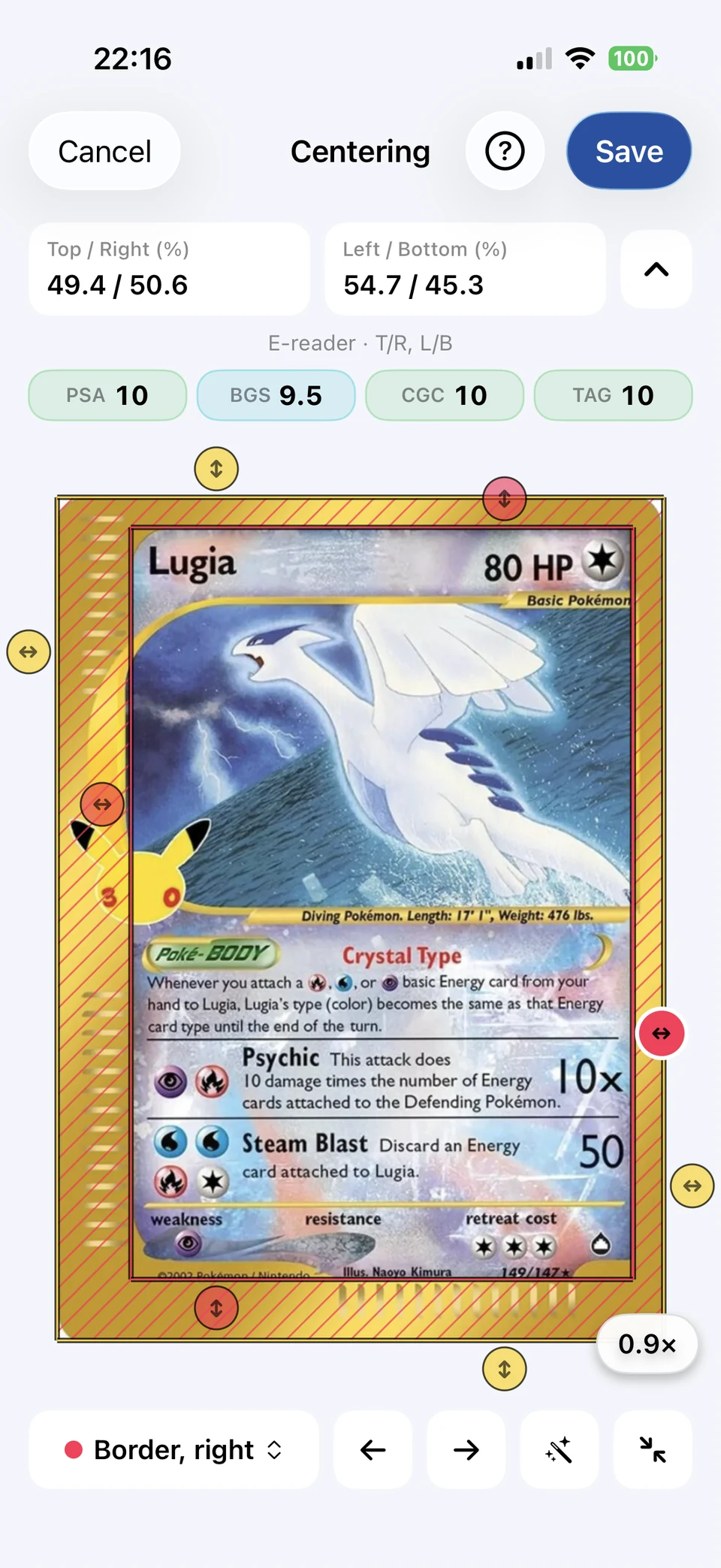
Choose the border layout that matches your card and confirm every guide. E-reader layouts compare paired narrow and wide borders using an unofficial app method; automatic suggestions can be overridden.
Actual app capture · owner-photographed cards
Read the guide →Actual iPhone app captures supplied by the developer, showing photographed Charizard and Lugia cards. Screens are resized for the web without changing the interface or card artwork. Third-party card names and artwork belong to their respective owners; CardGrader is independent and unaffiliated with card publishers or grading services. Examples illustrate the workflow, not authentication or grading accuracy. Results are unofficial; surface condition is not graded.
Compare centering measurements with published PSA, BGS, CGC, and TAG tolerances. Completed corner and edge inspections can inform a conservative provisional estimate.
How the comparisons workOriginal photos are preserved. Scanning, measurement, inspection, and saved-card browsing work without an account or internet connection. Optional lookup, advertising, and App Store purchases use online services.
Read the privacy policyEvery CardGrader tool is and always will remain 100% free. No tool is behind a paywall, and there are no subscriptions. Advertisements are how we keep all the tools free. The free app includes banner ads on browsing and Review pages, plus interstitial ads at eligible review and save transitions. Active camera and precision-editing screens stay ad-free.
Prefer no ads? Opt out of banner and interstitial advertisements for a small, one-time lifetime Remove Ads fee. This purchase only removes ads; it never unlocks tools or becomes a subscription. Apple displays the price in your local currency; eligible purchases can be restored in Settings.
Ads & purchase helpFind answers about alignment, centering, card lookup, your saved photos, and purchase restoration.
Visit the help centerAn iPhone trading card scanner with manual centering measurements, corner and edge inspection, and a local collection library.
An iPhone app for iOS 18 or later. Developed by Dyllon Mahan.
iPhone · iOS 18 or later · Preparing for App Store release. Every tool is 100% free and always will be. No tool paywall. No subscription. Ads keep the tools free; an optional small, one-time lifetime fee removes ads. Results are unofficial.
CardGrader official website